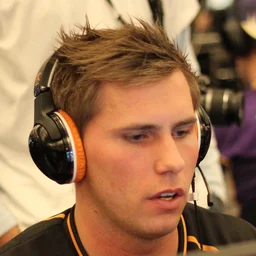
#7 in HLTV Top 20 Players of 2011 (fnatic). Friis played CS 1.6 in 2011, so these are their CS:GO settings from 2015-06-13, the closest to 2011 we found that can be converted, with the sensitivity and resolution from 2016. Source confidence: low.
Crosshair new system
Full config 2 parts
Download .cfgThe CS2 console can reject a pasted line longer than 510 characters, so the full config comes in parts: press ~ in CS2, paste part 1, press Enter, then do the same with the next part. Or download the .cfg, save it in Counter-Strike Global Offensive/game/csgo/cfg/ and run exec friis-2011 in the console.
cl_crosshairstyle 4; cl_crosshair_length 5; cl_crosshair_thickness 3; cl_crosshair_gap 6; cl_crosshairdot 0; cl_crosshair_t 0; cl_crosshair_drawoutline 0; cl_crosshair_recoil 0; cl_crosshaircolor_r 250; cl_crosshaircolor_g 250; cl_crosshaircolor_b 50; cl_crosshaircolor_a 200; cl_ironsight_usecrosshaircolor 0; cl_ironsight_dot_scale 1; cl_crosshair_screen_height 768
sensitivity 2.5Convars CS2 renamed are renamed, values outside CS2's range are set to the nearest one it accepts, and convars CS2 doesn't have or that are cheat-protected are left out (see Adapted for CS2 below).
Mouse & Sensitivity sensitivity
sensitivity 2.5DPI & polling rate are set in your mouse software, not in-game. Recommended: DPI 400 · eDPI 1000 · polling 500 Hz
Adapted for CS2 2
- m_customaccel doesn't exist in CS2, left out
- m_rawinput doesn't exist in CS2, left out
Video settings manual
| Resolution | 1024x768 |
|---|---|
| Aspect Ratio | 4:3 |
CS2 doesn't allow these via console commands — set them in Settings → Video. For stretched scaling also configure your GPU driver panel.
Where these settings come from
- Crosshair · 2015-06-13 · confidence low · liquipedia.net 1, 2
How the date is known
Liquipedia's Friis page has had this Crosshair table since revision 154829 of 13 Jun 2015, when he played for SK Gaming, and it is unchanged in revision 575934 of 9 Feb 2017. The table cites no source, so the date is when it was added to the page, not when he set it. The same revision lists sensitivity 2.5 at 400 DPI and 500 Hz, raw input on and 1024x768 with black bars, as setup.gg's record does. Its outline thickness 0 is read as the outline off, and cl_crosshairusealpha 1 is assumed for its alpha 200, as the table gives no usealpha.
- Sensitivity · 2016 · confidence low · github.com 1, 2
How the date is known
setup.gg's record for him, first published in the archive's initial import on 13 Dec 2016, so the settings date from then at the latest. The import listed him on SK Gaming, where he played from May 2015 to June 2016, so they most likely date from that time.
- Resolution · 2016 · confidence low · github.com 1, 2
How the date is known
setup.gg's record for him, first published in the archive's initial import on 13 Dec 2016, so the settings date from then at the latest. The import listed him on SK Gaming, where he played from May 2015 to June 2016, so they most likely date from that time.
- Photo · Photo · 2011-09-15 · by VaKarM.net · CC BY 2.0 · via Flickr · cropped
DPI is only taken from a source that lists the same sensitivity, so the eDPI matches the sensitivity shown. The other parts can come from configs of different dates, as listed.
Original config CS:GO
Show the documented CS:GO settings
cl_crosshairstyle 4
cl_crosshairsize 3
cl_crosshairthickness 2
cl_crosshairgap 0
cl_crosshairdot 0
cl_crosshaircolor 2
cl_crosshairalpha 200
cl_crosshairusealpha 1
cl_crosshair_drawoutline 0
cl_crosshair_outlinethickness 0
sensitivity 2.5
m_customaccel 0
m_rawinput 1
The settings as documented (liquipedia.net 1, 2, github.com 1, 2), before converting. Several of these convars don't exist in CS2, so use the commands above.