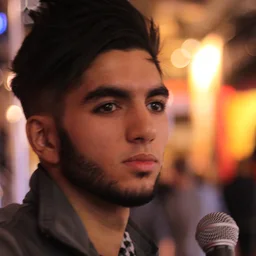
#7 in HLTV Top 20 Players of 2013 (VeryGames). These are ScreaM's CS:GO settings from 2014, the closest to 2013 we found that can be converted, with the resolution from 2016. Source confidence: low.
It is converted as style 5, as the file says. Liquipedia's page of 30 Aug 2015 (revision 194318), the closest dated source after it, lists style 4 with size 2, thickness 1, gap -2, cyan and alpha 255.
Crosshair new system
Full config 3 parts
Download .cfgThe CS2 console can reject a pasted line longer than 510 characters, so the full config comes in parts: press ~ in CS2, paste part 1, press Enter, then do the same with the next part. Or download the .cfg, save it in Counter-Strike Global Offensive/game/csgo/cfg/ and run exec scream-2013 in the console.
cl_crosshairstyle 5; cl_crosshair_length 3; cl_crosshair_thickness 2; cl_crosshair_gap 4; cl_crosshairdot 0; cl_crosshair_t 0; cl_crosshair_drawoutline 0; cl_crosshair_recoil 0; cl_crosshaircolor_r 50; cl_crosshaircolor_g 250; cl_crosshaircolor_b 250; cl_crosshaircolor_a 255; cl_ironsight_usecrosshaircolor 0; cl_ironsight_dot_scale 1; cl_crosshair_screen_height 768
sensitivity 2.35; zoom_sensitivity_ratio 1; m_pitch 0.022; m_yaw 0.022; viewmodel_fov 68; viewmodel_offset_x 2.5; viewmodel_offset_y 0; viewmodel_offset_z -1.5; viewmodel_presetpos 3; cl_radar_scale 0.7; cl_radar_rotate 1; cl_radar_always_centered 1; cl_radar_icon_scale_min 0.6
hud_scaling 0.95; cl_prefer_lefthanded 0
Convars CS2 renamed are renamed, values outside CS2's range are set to the nearest one it accepts, and convars CS2 doesn't have or that are cheat-protected are left out (see Adapted for CS2 below).
Mouse & Sensitivity sensitivity
sensitivity 2.35; zoom_sensitivity_ratio 1; m_pitch 0.022; m_yaw 0.022
Their DPI isn't documented with this sensitivity. The matcher below assumes 400 DPI, from their setup.gg profile (2016-12-13, where they used sensitivity 2.5); change it if you know better.
Viewmodel viewmodel_*
viewmodel_fov 68; viewmodel_offset_x 2.5; viewmodel_offset_y 0; viewmodel_offset_z -1.5; viewmodel_presetpos 3
Radar cl_radar_*
cl_radar_scale 0.7; cl_radar_rotate 1; cl_radar_always_centered 1; cl_radar_icon_scale_min 0.6
HUD hud_*
hud_scaling 0.95Performance & Other misc
cl_prefer_lefthanded 0Misc convars (fps caps, gamma, gameplay toggles) captured from this player's config.
Adapted for CS2 4
- cl_righthand 1 is cl_prefer_lefthanded 0 in CS2 (the value is inverted)
- zoom_sensitivity_ratio_mouse is called zoom_sensitivity_ratio in CS2
- m_rawinput doesn't exist in CS2, left out
- m_customaccel doesn't exist in CS2, left out
Video settings manual
| Resolution | 1024x768 |
|---|
CS2 doesn't allow these via console commands — set them in Settings → Video. For stretched scaling also configure your GPU driver panel.
Where these settings come from
- Crosshair · 2014 · confidence low · github.com 1, 2
How the date is known
Game-written config.cfg from setup.gg's archive. It has lobby_voice_chat_enabled, matching the 23 Jan 2014 change that made the lobby microphone button remember its state, but not the cl_crosshair_dynamic_* settings added on 12 Feb 2014, so it was saved between those dates. Its cl_clanid is the Steam group of Titan, which Liquipedia lists him with from 7 Jan 2014, so it was saved in his first weeks there, just after his VeryGames year. cl_crosshairstyle 5 is in this file although Valve added style 5 only on 16 Jul 2014. Six other configs in setup.gg's archive dated before July 2014 have it (GMX, NEO, TaZ, moE, pasha and schneider), as does a pasha config in CSGO-Optimiser saved between May 2013 and January 2014, so players set it before Valve added it. What the game drew for it then is unknown.
- Viewmodel, HUD and radar · 2014 · confidence medium · github.com 1, 2
How the date is known
Game-written config.cfg from setup.gg's archive. It has lobby_voice_chat_enabled, matching the 23 Jan 2014 change that made the lobby microphone button remember its state, but not the cl_crosshair_dynamic_* settings added on 12 Feb 2014, so it was saved between those dates.
- Sensitivity · 2014 · confidence medium · github.com 1, 2
How the date is known
Game-written config.cfg from setup.gg's archive. It has lobby_voice_chat_enabled, matching the 23 Jan 2014 change that made the lobby microphone button remember its state, but not the cl_crosshair_dynamic_* settings added on 12 Feb 2014, so it was saved between those dates.
- Resolution · 2016 · confidence low · github.com 1, 2, 3, liquipedia.net 1, 2
How the date is known
video.txt added to setup.gg's archive on 30 Apr 2016 together with a game-written config.cfg named 'G2.Kinguin ScreaM SaiyajiN'. That config has cl_crosshair_sniper_width (added 20 Jan 2016), so it was saved between 20 Jan and 30 Apr 2016; the video settings are taken to be from the same time. No source gives his resolution for 2013 or early 2014. Liquipedia's ScreaM page lists 800x600 with black bars in revision 194318 of 30 Aug 2015 and in revision 576105 of 9 Feb 2017, so the converted crosshair may be a pixel off from what he saw.
- DPI (assumed) · 2016-12-13 · github.com
Why it is assumed
No source lists a DPI with this sensitivity, so the DPI matcher assumes the 400 DPI of their setup.gg profile, which lists sensitivity 2.5; change it on the page if you know better.
- Photo · Photo · 2013-05 · by VaKarM.net · CC BY 2.0 · via Flickr · cropped
No source lists a DPI with this sensitivity, so the DPI matcher's DPI is assumed (see above). The other parts can come from configs of different dates, as listed.
Original config CS:GO
Show the documented CS:GO settings
cl_crosshairstyle 5
cl_crosshairsize 2
cl_crosshairthickness 1
cl_crosshairgap 0
cl_crosshaircolor 4
cl_crosshaircolor_r 250
cl_crosshaircolor_g 250
cl_crosshaircolor_b 250
cl_crosshairalpha 9999
cl_crosshairusealpha 1
cl_crosshairdot 0
cl_crosshair_drawoutline 0
cl_crosshair_outlinethickness 1
cl_crosshairscale 1000
viewmodel_fov 68
viewmodel_offset_x 2.5
viewmodel_offset_y 0
viewmodel_offset_z -1.5
viewmodel_presetpos 3
cl_righthand 1
hud_scaling 0.95
cl_radar_scale 0.7
cl_radar_rotate 1
cl_radar_always_centered 1
cl_radar_icon_scale_min 0.6
sensitivity 2.35
zoom_sensitivity_ratio_mouse 1
m_rawinput 1
m_customaccel 0
m_pitch 0.022
m_yaw 0.022
The settings as documented (github.com 1, 2, 3, 4, 5, liquipedia.net 1, 2), before converting. Several of these convars don't exist in CS2, so use the commands above.